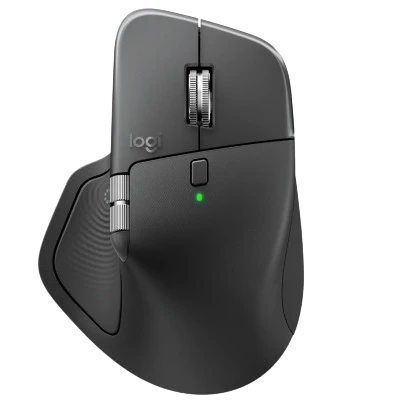
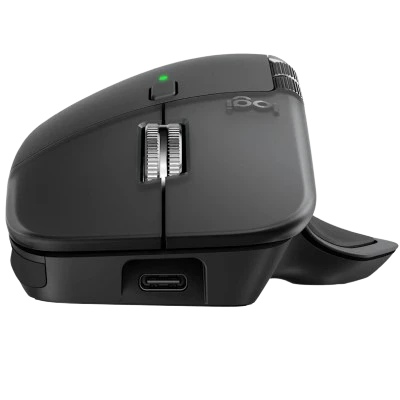
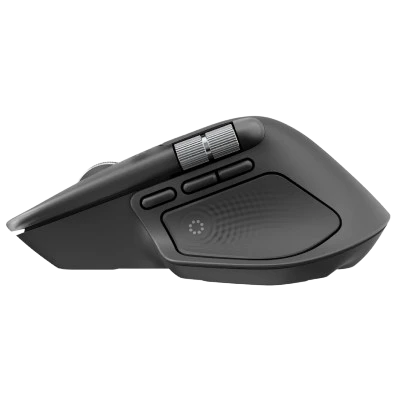
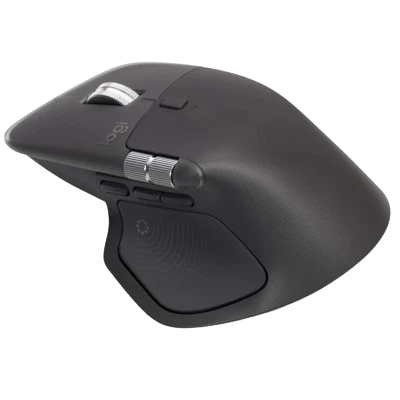
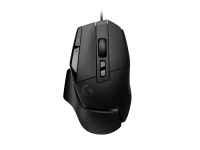
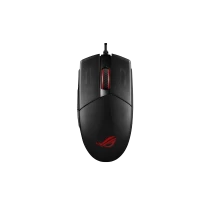
LOGITECH MX MASTER 4 FOR BUSINESS WIRELESS MOUSE (GRAPHITE)

SKU : TWMOUSE3389 Category : Mouse

0.00 M.R.P.: 16095

( 0 reviews )
Talk to our experts Live chat or :1800-889-1807

A NEW SENSE OF MASTERY Made for professionals who demand excellence, MX Master 4 offers advanced features like an 8K DPI Darkfield laser sensor, Quiet Click technology, haptic feedback, and 2X more powerful connectivity1Compared to MX Master 3S for Business. It’s a serious tool for serious pros 2X MORE POWERFUL CONNECTIVITY Connect confidently and keep work secure — even in congested wireless environments. A new radio chip and optimized antenna placement provide a stronger signal2Compared to MX Master 3S for Business. And with the new Logi Bolt USB-C receiver, you get a secure and high-performance wireless connection that’s fully encrypted BUILT TO LAST Love your mouse for longer. MX Master 4 is built to stay clean and look great through long hours and years of use. Improved stain resistance3Compared to MX Master 3S for Business. Polished microtextures. Comfort and durability together PRECISION ON ANY SURFACE Navigate effortlessly and stop on a pixel — every time. The 8K DPI Darkfield laser sensor tracks with incredible precision even on glass44 mm minimum glass thickness.. It’s faster and 5x more precise than a typical mouse5Compared to a regular Logitech mouse with default DPI setting. LIGHTNING SPEED, PINPOINT ACCURACY Fly through 1,000 lines per second in free-spin mode with MagSpeed wheel — up to 90% faster for long documents6Compared to a regular Logitech mouse without an electromagnetic scroll wheel.. Or switch to ratchet mode for 87% more precision7Compared to Logitech Master 2S mouse with Logitech Options installed and smooth scrolling enabled., perfect line-by-line accuracy FAST ACCESS TO FAVORITE TOOLS A novel Actions Ring10Requires Logi Options+ feature gives quick access to tools with one click, for 33% faster mouse action11With Actions Ring shortcuts and MX Master 4. Logitech Ergo Lab study (2025) with 37 MX Master mouse users tested across 8 desktop actions. Results may vary depending on assigned shortcuts. Open apps faster. Optimize common steps. Stay in the flow with less effort PRECISION YOU CAN FEEL Feel the difference with built-in haptic feedback that subtly alerts you when charging is needed or you switch devices. Customize it through Logi Options+12Internet access required to download Logi Tune or Logi Options+. Downloads and software compatibility at logi.com/tune or logi.com/optionsplus for seamless integration with apps like Zoom, Lightroom, Photoshop, and Premiere Pro —helping you work smarter and faster Feel the action on Windows 11 As the first productivity mouse to offer native integration with advanced haptics13Existing users can unlock this capability today via a quick firmware update in Logi Options+, using the latest updated Windows 11 version, while new units shipping this Fall will support the feature out-of-the box. on Windows 11, MX Master 4 offers tactile precision when performing certain actions in Windows, like aligning objects in PowerPoint

Out of stock


Confidence in Quality

Quality You Can Trust

Shipping Cost

Shipping Rates (T&C Apply)


Compare

Description

LOGITECH MX MASTER 4 FOR BUSINESS WIRELESS MOUSE (GRAPHITE)

A NEW SENSE OF MASTERY
Made for professionals who demand excellence, MX Master 4 offers advanced features like an 8K DPI Darkfield laser sensor, Quiet Click technology, haptic feedback, and 2X more powerful connectivity1Compared to MX Master 3S for Business. It’s a serious tool for serious pros
2X MORE POWERFUL CONNECTIVITY
Connect confidently and keep work secure — even in congested wireless environments. A new radio chip and optimized antenna placement provide a stronger signal2Compared to MX Master 3S for Business. And with the new Logi Bolt USB-C receiver, you get a secure and high-performance wireless connection that’s fully encrypted
BUILT TO LAST
Love your mouse for longer. MX Master 4 is built to stay clean and look great through long hours and years of use. Improved stain resistance3Compared to MX Master 3S for Business. Polished microtextures. Comfort and durability together
PRECISION ON ANY SURFACE
Navigate effortlessly and stop on a pixel — every time. The 8K DPI Darkfield laser sensor tracks with incredible precision even on glass44 mm minimum glass thickness.. It’s faster and 5x more precise than a typical mouse5Compared to a regular Logitech mouse with default DPI setting.
LIGHTNING SPEED, PINPOINT ACCURACY
Fly through 1,000 lines per second in free-spin mode with MagSpeed wheel — up to 90% faster for long documents6Compared to a regular Logitech mouse without an electromagnetic scroll wheel.. Or switch to ratchet mode for 87% more precision7Compared to Logitech Master 2S mouse with Logitech Options installed and smooth scrolling enabled., perfect line-by-line accuracy
FAST ACCESS TO FAVORITE TOOLS
A novel Actions Ring10Requires Logi Options+ feature gives quick access to tools with one click, for 33% faster mouse action11With Actions Ring shortcuts and MX Master 4. Logitech Ergo Lab study (2025) with 37 MX Master mouse users tested across 8 desktop actions. Results may vary depending on assigned shortcuts. Open apps faster. Optimize common steps. Stay in the flow with less effort
PRECISION YOU CAN FEEL
Feel the difference with built-in haptic feedback that subtly alerts you when charging is needed or you switch devices. Customize it through Logi Options+12Internet access required to download Logi Tune or Logi Options+. Downloads and software compatibility at logi.com/tune or logi.com/optionsplus for seamless integration with apps like Zoom, Lightroom, Photoshop, and Premiere Pro —helping you work smarter and faster
Feel the action on Windows 11
As the first productivity mouse to offer native integration with advanced haptics13Existing users can unlock this capability today via a quick firmware update in Logi Options+, using the latest updated Windows 11 version, while new units shipping this Fall will support the feature out-of-the box. on Windows 11, MX Master 4 offers tactile precision when performing certain actions in Windows, like aligning objects in PowerPoint