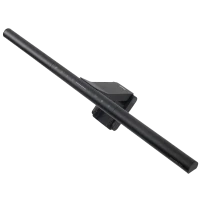
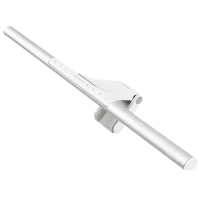
ScreenBar Pro E-Reading LED Computer Monitor Lightbar with Bright & Ultrawide Illumination and Motion Sensor
Bright and Ultrawide Illumination: ScreenBar Pro offers over 1000lx central brightness and a 500lx range within 85*50cm, outperforming most desk lamps and enhancing eye comfort with ample illumination.
High Compatibility: Fits monitors 0.43-6.5cm thick and curvature 1000-1800R. Patented clamp design accommodates monitors with special back designs or non-flat top bezel. Easy setup and no blocking to camera lens.
Motion Sensor: The ultrasonic motion sensor detects movements within a 60±10 cm diameter range, automatically lighting up when you're nearby and shutting down after 5 mins of absence to save energy.
Designed for Comfort, Built for Focus
Experience uniform, glare-free lighting tailored to your comfort. BenQ ScreenBar Pro Monitor Light eliminates glare, evenly distributes light, and reduces eye strain, keeping you focused all day.
Buy Now
Why not others ?
Key Issues with Poorly Designed Monitor Lights
Eye Strain and Discomfort
Short Product Lifespan
Screen Damage Risk
Here’s How
ScreenBar Pro Makes all the Difference
Enhanced Workspace Comfort and Versatility with BenQ ScreenBar Pro
85 x 50 cm
>500 lx
illuminating your keyboard and workspace without causing light spillage onto your screen
Enhanced Workspace Comfort and Versatility with BenQ ScreenBar Pro
Asymmetrical Optics
Zero Glare
This minimizes eye strain and enhances visual comfort, allowing you to focus better without frequent adjustments.
Enhanced Workspace Comfort and Versatility with BenQ ScreenBar Pro
Universal Clamp for
ALL Monitors
Securely fits almost any monitor, including curved models, protecting your monitor while maintaining a sleek appearance.
Precise Illumination
Provides 500 lux of even lighting across an 85 x 50 cm area, illuminating your keyboard and workspace without causing light spillage onto your screen.
This reduces eye strain and prevents contrast glare, ensuring long-lasting comfort during extended use.
Precise Illumination with BenQ ScreenBar Pro
Zero Glare
Directs light precisely onto your desk, effectively eliminating screen reflections and direct glare.
This minimizes eye strain and enhances visual comfort, allowing you to focus better without frequent adjustments.
Directs light precisely
① Patented 8-section Reflector
② Lens with 12 Angle
③ 18° Cut-off Angle
* Ensure the light doesn't directly hit the eyes.
* The lamp head angle can be adjusted as needed, with a maximum of 24 degrees.
Actual Luminance Measurement
If the monitor light reflects onto the screen, the machine will measure the brightness in nits. The higher the nits, the more reflection present.
The Nits data represents the average value measured approximately 10 cm from the top edge of the screen to the center.
screenbar-halo-2-export [已復原]
53 nits
BenQ
Focused lighting on necessary areas,
avoiding unnecessary exposure and reducing eye strain.
screenbar-halo-2-export [已復原]
111 nits
others
Direct eye exposure to LED Diode.
Secure Attachment
Unblocked Camera Lens
Flexible Mounting
New Patented Clamp Design
Secure Attachment
The unique structural design of the clamp's rear foot allows it to securely attach to monitors with a bulge on the back, preventing any obstruction to the lifting bracket.
New Patented Clamp Design
Unblocked Camera Lens
The front edge of the clamp is precisely designed to not obstruct the camera lens while being compatible with ultra-narrow bezel monitors.
New Patented Clamp Design
Flexible Mounting
The top of the clamp features an asymmetrical sawtooth design for easy mounting onto non-flat structures above the monitor, avoiding interference with the microphone/speaker at the top of the screen.
Automatic Lights On as You Sit
Detection Range
Automatic Lights Off as You Leave
A Warm Welcome to Your Space
Automatic Lights On as You Sit
Using Time-of-Flight (ToF) principle, similar to self-driving cars, ScreenBar Pro's ultrasonic sensor detects moving objects within a 60±10 cm diameter range in front of the screen, providing a welcoming experience with each seating.
Detection Range
Automatic Lights On as You Sit
With its ultrasonic sensor positioned 50cm (19.7”) above the desktop, it detects 60±10 cm (23.6±3.9”) in front of the screen. Its conical detection shape has a limited range to avoid unnecessary light activation, e.g., from users walking by.
Save Energy, Save the Earth
Automatic Lights Off as You Leave
ScreenBar Pro automatically turns off after five minutes of absence, not only saving valuable energy but also adding a thoughtful touch to your daily routine.